
Home Office
Standing Desks for Small Spaces
Standing desks have moved from office novelty to mainstream home office staple — and for good reason. The research on prolonged sitting is well-established: sitting for more than 8 hours a day is associated with increased risk of back pain, cardiovascular issues, and reduced energy. A height-adjustable desk lets you alternate between sitting and standing throughout the day, which most ergonomics experts consider the practical goal — not standing all day, but moving more.
The challenge for most home office workers isn’t finding a standing desk — it’s finding one that fits a smaller space without dominating the room. This guide focuses specifically on compact and space-efficient options, what features actually matter, and how to set one up correctly so it’s genuinely useful rather than just another piece of furniture.
BY MARINA SGROI | May 20, 2026 3:46 pm EST
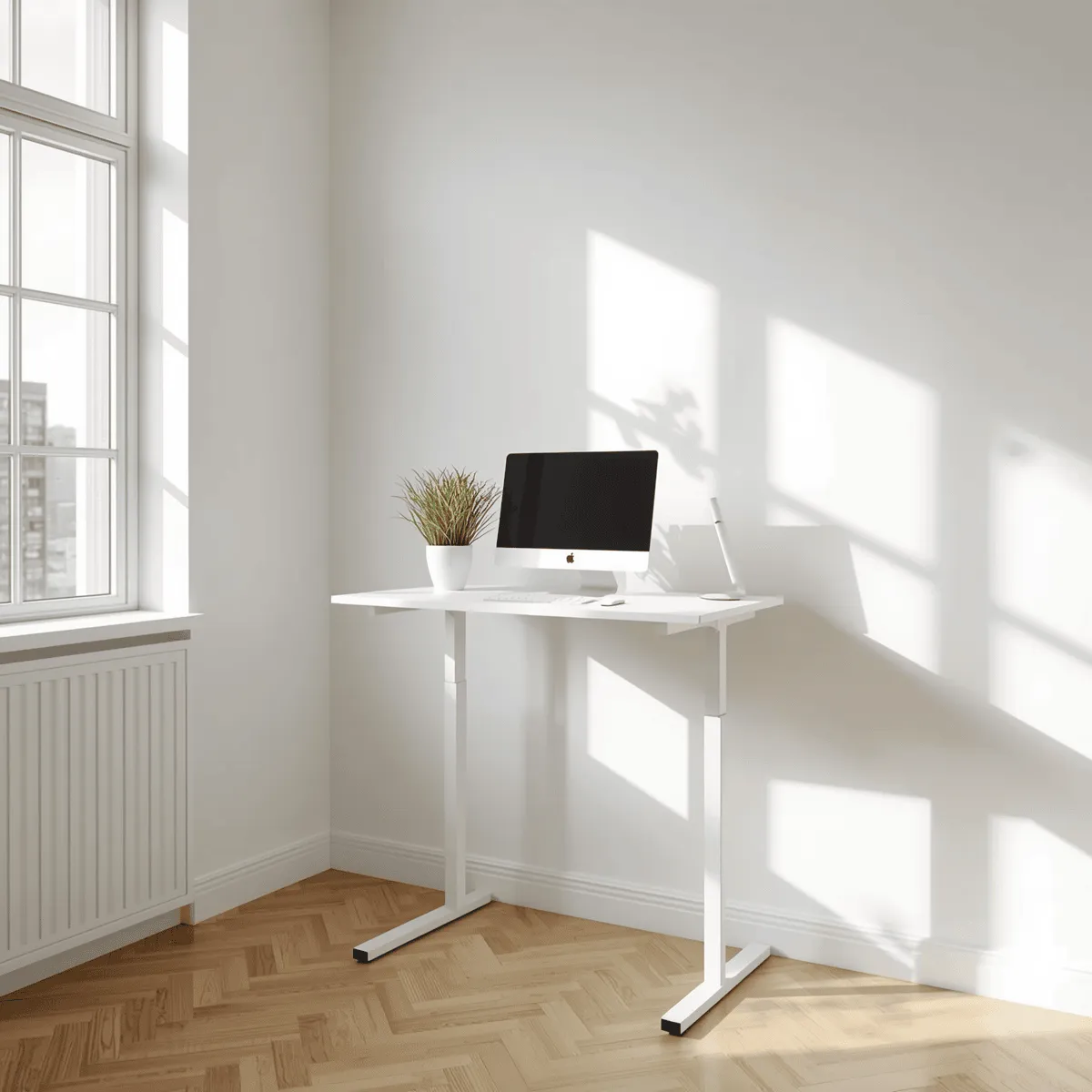
What to Look for in a Standing Desk for Small Spaces
Desktop Dimensions
For small spaces, desk width is the most important dimension to get right. A 48" wide desk is the practical minimum for a comfortable single-monitor setup with a laptop or some desk accessories. A 60" desk gives significantly more room and is a better fit if you use two monitors or need more workspace. Desks narrower than 48" tend to feel cramped once you add a monitor, keyboard, mouse, and any accessories.
Depth matters too. A 24" deep desk is standard and works well for most setups. If your room is very shallow, some compact desks come in 20" depth, which saves a few inches but can make larger monitors feel too close. Most ergonomists recommend keeping a monitor at least 20" from your eyes, so factor that into your room measurements before buying a shallower desk.
Height Range
A standing desk that doesn’t fit your height is worse than a regular desk. The standard height range for most electric standing desks is roughly 24"–50", which covers sitting height for most adults down to about 5'2" and standing height for most adults up to about 6'2". If you’re shorter than 5'2" or taller than 6'4", check the specific height range carefully before buying.
Your ideal standing desk height puts your elbows at roughly 90 degrees when your hands rest on the keyboard, with your monitor at or slightly below eye level. Most people are surprised how high that actually is — for a 5'10" person, standing desk height is typically around 44"–46".
Electric vs. Manual Adjustment
Electric standing desks use a motor to raise and lower the surface at the press of a button, usually with programmable height presets. Manual standing desks use a hand crank or pneumatic mechanism. The practical difference matters more than it sounds: if adjusting your desk requires effort, you’ll do it less often. Electric desks with one-touch presets make the transition from sitting to standing fast and frictionless, which means you actually use the feature.
Electric desks cost more — typically $400–$800 for quality options vs. $150–$350 for manual — but most people who use a standing desk daily find the convenience worth the price difference. Manual desks are a reasonable starting point if you’re unsure whether you’ll use the sit-stand feature regularly.
Weight Capacity and Stability
Stability at standing height is where cheaper standing desks fall short. A desk that wobbles when you type at standing height is distracting and can damage equipment over time. Look for desks with a weight capacity of at least 150 lbs (even if your setup is much lighter — higher capacity generally correlates with a sturdier frame) and cross-bar support between the legs, which significantly improves stability.
Dual-motor desks (where each leg has its own motor) tend to be more stable than single-motor designs at full standing height. For a setup with two monitors and additional equipment, a dual-motor frame is worth the extra cost.
Cable Management
A standing desk that moves up and down creates a cable management problem that a fixed desk doesn’t have. Cables need enough slack to accommodate the full height range without pulling on devices or getting tangled. Look for desks with built-in cable trays under the surface, cable routing holes in the desktop, or at minimum a design that makes it easy to add a third-party cable management tray. Without it, a sit-stand desk quickly becomes a cable chaos machine.
Standing Desk Styles That Work Well in Small Spaces
Compact Electric Standing Desk (48"–60" Wide)
This is the most popular category for home office users in smaller spaces. A 48"–60" electric desk with a programmable controller fits against most walls without overwhelming the room, handles a standard single or dual monitor setup, and provides the full sit-stand range without compromise. Brands like Flexispot, Uplift, and Autonomous are frequently compared in this category for build quality, stability, and price.
Best for: dedicated home office rooms, bedrooms used as offices, or any space where you want a full-featured desk without a massive footprint.
L-Shaped Standing Desk
Counterintuitively, an L-shaped standing desk can work well in small rooms by fitting into a corner and using space that would otherwise be wasted. Corner placement keeps two walls of a small room clear. The tradeoff is that the corner section of an L-desk is often less useful for active work — it tends to become storage rather than workspace.
Best for: rooms with an available corner, users who need more horizontal workspace, or setups with multiple monitors that benefit from a wraparound arrangement.
Desktop Converter (Sit-Stand Riser)
A desktop converter sits on top of an existing desk and raises a platform to standing height when needed. They’re significantly cheaper than full standing desks ($80–$250 vs. $400+) and don’t require replacing your current desk. The main drawback is that they reduce usable desk space — the raised platform typically holds only a monitor and keyboard, leaving less room for other items on the desk surface below.
Best for: renters, people who travel frequently and use a home base desk occasionally, or anyone who wants to try sit-stand working before investing in a full standing desk.
Wall-Mounted Fold-Down Desk
Wall-mounted desks fold flat against the wall when not in use, freeing up floor space entirely. They’re popular in studio apartments and very small rooms where every square foot matters. Most wall-mounted designs are fixed-height rather than height-adjustable, so they don’t provide sit-stand functionality — but for extremely tight spaces, the space savings outweigh that limitation.
Best for: studio apartments, guest rooms that double as offices, or spaces where a full desk footprint isn’t viable the entire day.
Setting Up a Standing Desk Correctly
A standing desk that’s set up at the wrong height causes the same problems it’s supposed to solve. Here’s how to dial in the ergonomics:
Find Your Correct Standing Height
Stand naturally with your shoes on (wear the shoes you typically work in). Let your arms hang at your sides, then bend your elbows to 90 degrees. The desk surface should meet your hands at that height. Your wrists should be flat — not bent up or down — when typing. Most people set their standing desk 2–3 inches too low, which causes them to hunch forward over time.
Monitor Placement at Standing Height
Your monitor should be at or slightly below eye level when standing. The top of the screen should be at roughly eye height, so your gaze falls slightly downward toward the center of the screen. If your monitor is too low at standing height, a monitor arm is usually the most effective solution — it lets you independently adjust monitor height separately from desk height, which is especially useful if multiple people use the same desk.
Anti-Fatigue Mat
Standing on a hard floor for extended periods causes foot and leg fatigue faster than most people expect. An anti-fatigue mat — a cushioned mat designed for standing workstations — reduces that fatigue significantly. Most people find they can stand comfortably for 30–60 minutes at a stretch with a good mat versus 15–20 minutes without one. A mat in the $50–$100 range makes a noticeable difference; you don’t need the most expensive option.
How Long Should You Stand?
The goal of a standing desk isn’t to stand all day — that causes its own problems, including back pain and varicose veins. Most ergonomics research suggests a ratio of roughly 1 hour standing for every 1–2 hours of sitting as a practical target. Standing for 15–30 minutes after each sitting session, alternating throughout the day, is a realistic starting point. Many electric desk controllers include reminder timers for exactly this purpose.
Frequently Asked Questions
Use Vertical Space
In small rooms, wall space is underutilized storage. Floating shelves above the desk hold books, speakers, and accessories without taking up desk surface. A pegboard or wall-mounted organizer keeps frequently used items accessible without cluttering the desk. Monitor arms free up the entire desk footprint under the monitor, which is otherwise wasted space.
Manage Cables Proactively
Cable clutter makes small spaces feel more chaotic than they are. A few practical fixes: a cable management tray mounted under the desk keeps power strips and excess cable length out of sight; cable clips along the desk edge route cables neatly to their destinations; a single power strip with a long cord to the wall outlet reduces the number of cables running across the floor. Spending 30 minutes on cable management when you first set up the desk saves ongoing frustration.
Prioritize Lighting
Good lighting reduces eye strain and makes a small office feel more open. Natural light is ideal — position the desk perpendicular to a window rather than facing it (to avoid screen glare) or with your back to it. A bias light behind the monitor (a light strip attached to the back of the screen) reduces contrast fatigue during long work sessions and is a popular, inexpensive upgrade for home office setups.
Frequently Asked Questions
Q: Are standing desks actually good for you?
A: The evidence supports alternating between sitting and standing rather than standing all day. Prolonged sitting is associated with back pain, reduced circulation, and metabolic issues. Prolonged standing has its own drawbacks — leg fatigue, varicose veins, and lower back strain. A height-adjustable desk that makes it easy to switch positions throughout the day addresses the core problem: staying in one position for too long.
Q: What’s the minimum room size for a standing desk?
A: A 48" wide standing desk needs roughly 6 feet of wall space and 4 feet of depth in front of it for comfortable use and chair movement. In very tight spaces (under 100 sq ft), a wall-mounted fold-down desk or desktop converter on an existing desk may be more practical than a full standing desk.
Q: How much should I spend on a standing desk?
A: For a quality electric standing desk you’ll use daily, $400–$700 is a realistic budget for a reliable frame and desktop. Under $300 tends to produce desks that wobble noticeably at standing height or have motors that wear out within a few years. Over $1,000 gets into premium territory (better warranties, higher weight capacity, more customization) that most home office users don’t need. The $400–$600 range from established brands hits the sweet spot for home use.
Q: Can I convert my existing desk into a standing desk?
A: Yes — a desktop converter (sit-stand riser) sits on top of your current desk and raises a platform to standing height. It’s a lower-cost entry point ($80–$250) that works reasonably well for a single-monitor setup. The tradeoff is reduced desk surface at standing height and a slightly awkward transition compared to a full height-adjustable desk. It’s a good way to test whether you’ll actually use the standing feature before committing to a full desk replacement.
Final Thoughts
The best standing desk for a small space is the one that fits your room dimensions, matches your height, and makes switching positions easy enough that you actually do it. For most home office users, a 48"–60" electric desk with programmable height presets hits all three criteria without overwhelming a smaller room.
Set it up at the correct ergonomic height, add an anti-fatigue mat, and aim to alternate positions every hour or two. That habit — more than the desk itself — is what delivers the health and comfort benefits that make standing desks worth the investment.
Affiliate Disclosure: Vulindo may earn a commission when you click links to partner products on this page. This does not affect our editorial recommendations.
Owned and Operated by Marina Sgroi
61 Saint Marks Place
New York, NY, USA
Privacy | Terms & Conditions | Editorial Policy | Contact Us
Copyright 2026 | Vulindo™