
Home Office
Compact Desk Setup Ideas for Small Spaces
A productive workspace doesn’t require a dedicated room or a large footprint. Some of the most functional home office setups occupy a single wall of a bedroom, a corner of a living room, or even a closet converted into a work nook. The constraints of a small space can actually help — they force you to be intentional about what’s on the desk and what isn’t.
This guide covers practical compact desk setup ideas organized by space type, the accessories that make the biggest difference in small setups, and the design principles that keep small workspaces from feeling cluttered or cramped.
BY MARINA SGROI | May 16, 2026 6:11 pm EST
Compact Desk Setup Ideas by Space Type
The Single-Wall Setup
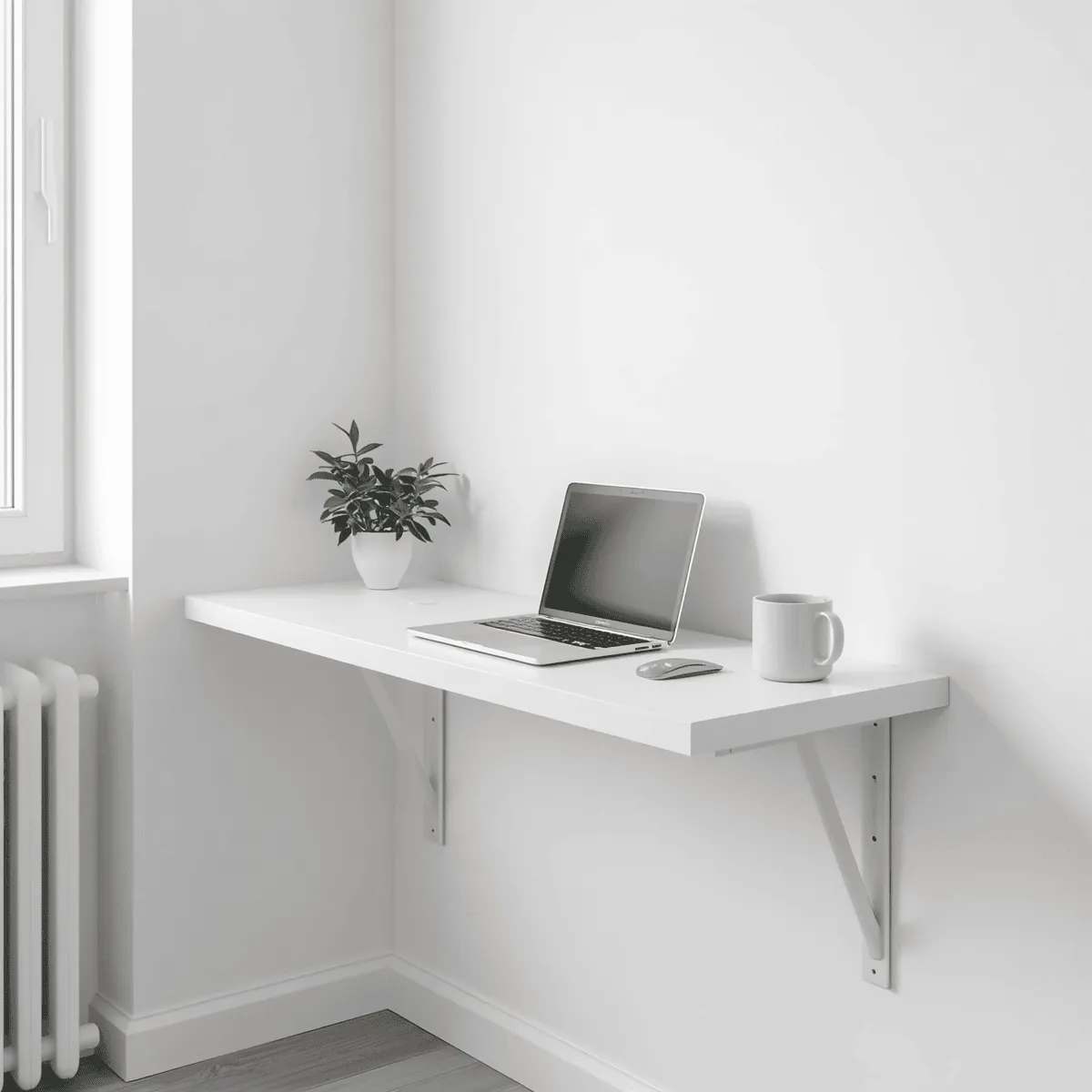
A single wall is enough for a complete, functional workspace. A 48"–60" desk pushed against the wall with floating shelves above it uses vertical space efficiently and keeps the floor area open. This is the most common small-space setup and works well in bedrooms, studio apartments, and living rooms where you want the workspace to feel contained rather than dominant.
The key to making a single-wall setup work: keep the desk surface clear. Everything that doesn’t need to be within arm’s reach during work goes on the shelves above or in storage below. A desk with a hutch (built-in upper shelving) consolidates storage without requiring separate wall-mounted shelves, which is useful in rental apartments where wall mounting isn’t always an option.
The Corner Setup
Corner desks use space that most rooms waste. An L-shaped desk in a corner gives you significantly more desk surface than a straight desk of the same footprint — one side for the primary monitor and keyboard, the other for secondary work, notebooks, or a second screen. In a small room, a corner setup also keeps both sides of the room open, which makes the space feel larger.
The corner section of an L-desk is often underutilized — it tends to become a dumping ground for items that don’t have a designated place. Treat the corner section intentionally: a monitor arm positioned there, a small plant, or a desktop organizer works better than letting it accumulate clutter.
The Closet Office (Cloffice)
A standard reach-in closet (typically 6 feet wide, 24" deep) can be converted into a complete workspace by removing the closet rod and adding a desk surface at the right height. When the workday is done, closing the closet doors hides the entire setup — a significant quality-of-life benefit for anyone working from a studio apartment or a room that serves multiple purposes.
A floating desk mounted at 29–30" height (standard desk height) uses the full width of the closet. The shelf above the desk holds monitors, speakers, or storage. Cable management matters more in a closet setup than almost any other configuration — there’s less room to hide mess, and the closed-door aesthetic only works if the interior is actually organized.
The Minimal Laptop Setup
For anyone whose primary work tool is a laptop and who doesn’t need a large permanent desk, a minimal setup can be extremely compact: a small writing desk (36"–40" wide), a laptop stand to raise the screen to eye level, an external keyboard and mouse, and a single lamp. This setup fits in almost any room, costs significantly less than a full standing desk configuration, and can be disassembled and stored if needed.
The key investment in a minimal laptop setup is ergonomics: the laptop stand and external keyboard prevent the neck and wrist strain that comes from working on a laptop flat on a desk for hours. The stand itself can be a $25 adjustable riser or a $150 precision aluminum design — the ergonomic benefit is roughly the same either way.
The Standing Desk Nook
A compact electric standing desk (48" wide) combined with a monitor arm and anti-fatigue mat creates a fully functional sit-stand workspace in a very small footprint. This setup works particularly well in alcoves, nooks, or unused hallway space that’s too small for furniture but large enough for a narrow desk.
The monitor arm is especially valuable in small standing desk setups: it eliminates the monitor stand footprint from the desk surface, freeing up space for a keyboard, mouse, and a few accessories. Clamp-mounted monitor arms attach to the back edge of the desk and hold one or two monitors at any height and angle.
The Accessories That Make the Biggest Difference
Monitor Arm
A monitor arm is the single accessory that frees up the most desk space in a compact setup. A standard monitor stand occupies a 7"–10" deep footprint on the desk surface; a monitor arm moves that footprint entirely off the desk to a clamp on the back edge. The monitor floats at any height and angle, making it easier to dial in the correct ergonomic position, and the desk surface underneath is completely clear.
Single monitor arms handle most screens up to 32" and 17–20 lbs. Dual monitor arms hold two screens side by side and are a good option if you regularly work with multiple windows open and want to avoid alt-tabbing constantly. Look for arms with cable management channels built into the arm itself — they keep monitor cables contained and routed cleanly.
Desk Shelf or Monitor Riser
A desk shelf (a narrow raised platform that sits on the back of the desk surface) creates a second level for items that don’t need to be directly in front of you — speakers, a small plant, a webcam, external drives, or frequently referenced books. Below the shelf, the main desk level stays clear for active work. A shelf 8–10" deep and 36–48" wide is enough to make a meaningful organizational difference without taking over the desk.
Under-Desk Cable Management Tray
Cable clutter is disproportionately damaging to the perceived cleanliness of a small workspace. An under-desk cable tray mounts to the underside of the desk surface and holds a power strip plus all excess cable length out of sight. From a seated position, the desk surface and floor look clean; all the complexity is hidden underneath. This is a $20–40 upgrade that has more visual impact per dollar than almost anything else in a small setup.
Vertical Laptop Stand
If you use a laptop connected to an external monitor, storing the laptop vertically (on its side in a vertical stand) rather than open on the desk recovers significant desk space. A vertical laptop stand occupies roughly 1–12" of desk footprint versus 12" x 8" or more when the laptop is open flat. Most modern laptops function fine in clamshell mode (lid closed) when connected to an external display, keyboard, and mouse.
Pegboard or Wall-Mounted Organizer
A pegboard mounted above the desk turns wall space into flexible storage. Hooks, shelves, and bins can be rearranged to hold headphones, cables, notebooks, desk accessories, and anything else that would otherwise occupy desk surface space. IKEA’s Skadis pegboard and similar products have become popular in home office setups specifically because the modular accessory system lets you customize storage to exactly what you need.
For renters who can’t mount a pegboard, a free-standing desk organizer or a monitor shelf with built-in storage achieves a similar result without wall anchors.
Design Principles for Small Workspaces
Limit the Desk Surface to Active Work Only
The most consistently effective principle in small desk setups: only items you use daily belong on the desk surface. Reference materials, decorative items, and anything you don’t touch during a typical workday goes on a shelf, in a drawer, or off the desk entirely. A clear desk surface makes a small setup feel larger and reduces the cognitive friction of starting work — there’s nothing to move before you can sit down and focus.
Match Your Desk Color to the Wall
A desk that matches or closely matches the wall color behind it visually recedes into the room rather than standing out as a piece of furniture. White desks against white walls, natural wood against warm-toned walls, or black against dark accent walls all create a more seamless look than a desk that contrasts with its background. In a small space where the desk is visible from the main living area, this matters more than it might in a dedicated office.
Use Consistent Materials and Colors
A small workspace with mismatched accessories — a black monitor, white speakers, a wood-toned desk shelf, and a silver laptop stand — looks more cluttered than one where the materials and colors are consistent. Choosing two or three colors and one or two materials (wood + black, white + silver, all black) and sticking to them across all visible accessories creates a cohesive look that makes the space feel intentional rather than accumulated.
Prioritize Lighting
A well-lit workspace feels larger and more comfortable than a dim one. Natural light is ideal — position the desk to the side of a window rather than directly facing it (to avoid screen glare) or with the window behind you. For artificial lighting, a desk lamp with adjustable color temperature (warm for evenings, cool for focused daytime work) and a bias light behind the monitor (a light strip attached to the back of the screen) are the two most impactful additions. The bias light reduces eye strain during long sessions and makes the workspace look more polished in video calls.
Frequently Asked Questions
Q: How small can a functional home office be?
A: A usable workspace can fit in as little as 4 feet of wall space and 3 feet of depth in front of the desk. A 36"–40" wide desk in a small alcove or against a bedroom wall is enough for a laptop setup with external keyboard and mouse. The minimum practical size is determined more by chair clearance in front of the desk than by the desk itself — you need roughly 36" of clear floor space behind where you sit to push the chair back comfortably.
Q: What’s the best desk setup for a studio apartment?
A: A closet office (cloffice) is frequently cited as the best solution for studio apartments because it completely hides the workspace when not in use. If a closet isn’t available, a wall-mounted fold-down desk that folds flat when not in use achieves a similar result. For a permanent visible setup, a corner desk uses space efficiently without encroaching on the living area.
Q: How do I reduce cable clutter on a small desk?
A: Three things make the biggest difference: a single multiport USB-C charger that replaces multiple individual chargers, an under-desk cable tray that holds the power strip and excess cable length out of sight, and cable clips along the desk edge that route cables neatly to their destinations. Wireless peripherals (keyboard, mouse, headphones) eliminate several cables entirely. After that, having fewer devices on the desk reduces cables proportionally — each device you remove from the desk surface takes its cable with it.
Q: Is a dual monitor setup practical in a small space?
A: Yes, with the right approach. Two monitors on a dual monitor arm take up the same desk footprint as a single monitor on a stand (the arm clamps to the desk edge and holds both screens). The desk surface stays clear. Two 24" monitors side by side on a dual arm is a common small-space setup that provides significantly more screen real estate than a single monitor without requiring a larger desk.
Final Thoughts
A small space doesn’t limit what’s possible in a home office — it just requires more intentionality about what goes where. The setups that work best in small spaces share a few consistent traits: vertical storage, clear desk surfaces, cable management that hides complexity, and consistent visual design that makes the workspace feel cohesive rather than assembled from whatever was available.
Start with the desk position and cable management — those two decisions affect everything else. Add a monitor arm if you have a standalone monitor, a laptop stand and external keyboard if you’re laptop-only, and floating shelves or a pegboard above the desk for storage. Most small workspaces can be meaningfully improved with under $200 in targeted accessories applied to the right problems.
Affiliate Disclosure: Vulindo may earn a commission when you click links to partner products on this page. This does not affect our editorial recommendations.
Owned and Operated by Marina Sgroi
61 Saint Marks Place
New York, NY, USA
Privacy | Terms & Conditions | Editorial Policy | Contact Us
Copyright 2026 | Vulindo™