
Productivity
& Everyday Tech
Everyday Tech Essentials for Remote Work and Travel
Remote work and frequent travel have a lot of overlap when it comes to tech needs: you’re working from locations that aren’t your main office, you need reliable connectivity and power, and you can’t afford to have the wrong gear slow you down. The right tech kit handles both without requiring you to pack differently for each situation.
This guide covers the everyday tech items that consistently make the biggest difference for remote workers and travelers — not the flashy gadgets, but the practical essentials that solve real problems. Each section explains what to look for, what specs actually matter, and what’s worth spending more on versus where cheaper options work fine.
BY MARINA SGROI | May 22, 2026 10:10 am EST
Power and Charging
USB-C Multiport Charger
A single high-wattage USB-C charger that can power multiple devices simultaneously is one of the most useful consolidations you can make in your tech kit. A 65W–100W GaN (Gallium Nitride) charger with two USB-C ports and one USB-A port can charge a laptop, phone, and tablet at the same time from one wall outlet — a meaningful advantage when outlets are limited in coffee shops, airports, or hotel rooms.
GaN chargers run significantly cooler and smaller than traditional chargers at the same wattage. A 65W GaN charger is roughly the size of a large wall adapter but replaces what used to require a large laptop brick plus separate phone charger. For most MacBook users, 65W is enough for regular use; 100W is needed for faster charging or for 16" MacBook Pro models under load.
Power Bank (Portable Charger)
For travel days and long work sessions away from outlets, a power bank removes the anxiety of watching your battery percentage drop. The key specs: capacity (mAh), output wattage, and size.
- 10,000 mAh gives most phones 2–3 full charges. Compact, fits in a jacket pocket, good for day trips and light travel.
- 20,000 mAh handles phones and tablets over multiple days or provides a meaningful top-up for a laptop. Heavier but more versatile for longer trips.
- For laptop charging, look for a power bank with a USB-C PD (Power Delivery) output of at least 45W. Lower wattage will charge a laptop, but very slowly — sometimes slower than the laptop drains under use.
TSA limits power banks to 100Wh in carry-on luggage (they cannot go in checked bags). A 20,000 mAh power bank sits at about 74Wh — within the limit. Some higher-capacity banks (27,000 mAh and above) exceed 100Wh and require airline approval.
Universal Travel Adapter
International travelers need an adapter for different outlet types: Type A/B (North America), Type C/E/F (Europe and most of the world), Type G (UK, Hong Kong, Singapore), Type I (Australia, New Zealand). A universal adapter that handles all four covers the vast majority of destinations.
Look for a compact universal adapter with built-in USB-A and USB-C ports — this lets you charge phones and tablets directly from the adapter without needing a separate charger for each. Avoid very cheap adapters without surge protection; a power surge through an unprotected adapter can damage expensive devices.
Connectivity
USB-C Hub or Docking Station
Modern laptops — especially MacBooks and ultrabooks — have reduced port selection to USB-C only, which creates a connectivity problem when you need to connect a monitor, ethernet cable, SD card, or USB-A accessories. A USB-C hub expands one port into several.
For travel, a compact 6–8 port hub (USB-C power passthrough, two USB-A ports, HDMI, SD card reader, ethernet) handles most situations without taking up much bag space. For a fixed desk setup, a larger docking station with more ports and a single-cable connection to the laptop is a better investment. The difference is portability vs. functionality — travel hubs sacrifice some ports for size; desk docks maximize connectivity.
Portable Wi-Fi Hotspot or International SIM
Relying on public Wi-Fi for work is a security and reliability risk. Public networks are unencrypted, subject to congestion, and occasionally completely unreliable. Two practical alternatives:
- Mobile hotspot through your phone plan: most US carriers include hotspot data on unlimited plans. Check your plan’s hotspot limits before travel — many throttle hotspot speeds after 15–50GB even on unlimited plans.
- International eSIM: for international travel, an eSIM from a provider like Airalo or Nomad gives you a local data plan without swapping physical SIMs. eSIM plans typically run $5–20 for 1–5GB depending on the country, which is significantly cheaper than most carrier international day passes.
- Dedicated mobile hotspot device: if you regularly work from locations with unreliable Wi-Fi, a dedicated hotspot device keeps your phone battery separate from your connectivity source and often gets better signal than phone hotspots.
Ethernet Cable (Compact)
A short (3–6 foot) ethernet cable and a USB-C to ethernet adapter is one of the most underrated items in a remote work kit. Many hotels and Airbnbs have ethernet ports that deliver significantly faster and more stable connections than Wi-Fi — especially in buildings where dozens of guests are sharing the same wireless network. A thin, flat ethernet cable takes up almost no bag space and can be the difference between a frustrating video call and a clear one.
Productivity Accessories
Compact Wireless Keyboard and Mouse
Working from a laptop keyboard and trackpad for extended periods causes more fatigue than most people realize — the hunched posture, the cramped key spacing, and the lack of a proper wrist position all add up over a full workday. A compact wireless keyboard and mouse pair lets you position the laptop at eye level (on a stand or stack of books) and type from a comfortable arm position.
For travel, look for a keyboard that uses Bluetooth rather than a USB dongle (one less thing to plug in and potentially lose), folds or is slim enough to slide into a laptop sleeve, and has a battery life of at least 3–6 months on a charge. The Logitech MX Keys Mini and similar compact keyboards are frequently compared in this category for their balance of key feel, portability, and multi-device pairing.
Laptop Stand
Using a laptop flat on a desk puts your screen well below eye level, which causes neck strain over long sessions. A laptop stand raises the screen to a better height and improves airflow under the laptop, which reduces thermal throttling during intensive tasks.
Portable laptop stands range from rigid aluminum risers (stable but bulky) to foldable or adjustable designs that pack flat. For travel, a stand that weighs under 200g and folds to roughly the size of a large smartphone is the practical target. Nexstand, Roost, and similar compact stands are frequently compared for this use case. A stand becomes most useful when paired with an external keyboard and mouse — together they turn any surface into a proper ergonomic workspace.
Webcam (External)
Built-in laptop webcams have improved but remain noticeably worse than even a mid-range external webcam for video calls. The difference is most visible in low light — a room with average lighting that looks reasonable in person often turns a built-in webcam image grainy and dark, while a good external webcam handles the same lighting much better.
For remote workers who are on video calls daily, a 1080p external webcam with autofocus and decent low-light performance is a worthwhile investment. The Logitech C920 and similar webcams in the $70–$100 range represent the practical sweet spot for home office use. For travel, the built-in webcam is usually acceptable — a clip-on ring light is a lighter alternative that dramatically improves built-in webcam quality without adding a separate device.
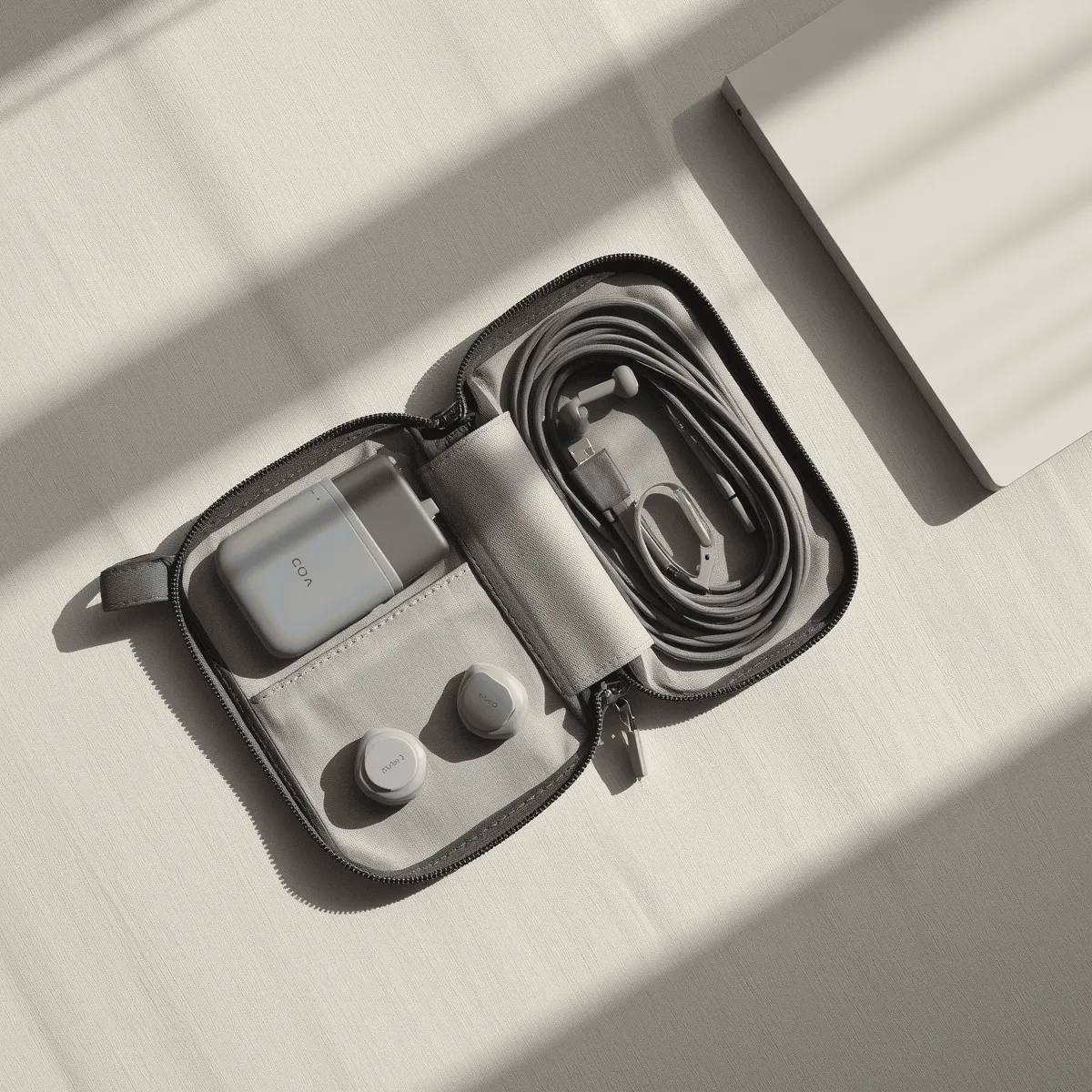
Cable Organizer Pouch
The cables, adapters, and small accessories that come with a complete tech kit — charging cables, adapters, earbuds, SD cards, USB drives — become a tangled mess inside a bag within one trip. A small zippered organizer pouch with elastic loops or pockets keeps everything separated and findable. This is a $15–30 item that saves a disproportionate amount of frustration over time.
Pack one cable per device, not multiples ‘just in case.’ A USB-C cable that handles both data and charging, plus one USB-C to Lightning or USB-C to USB-A adapter for legacy devices, covers most situations without overpacking cables.
Security Essentials
VPN (Virtual Private Network)
A VPN encrypts your internet traffic, which is particularly valuable when working from public Wi-Fi in coffee shops, airports, or hotels. Without a VPN, data sent over an unencrypted public network can potentially be intercepted. With a VPN, your traffic is encrypted before it leaves your device.
For remote workers, a VPN is a standard security practice rather than a niche tool. Reputable options with strong privacy records include Mullvad, ProtonVPN, and ExpressVPN. Avoid free VPNs — their business model typically involves collecting and selling user data, which defeats the purpose. Paid VPNs run $5–10/month and are meaningfully different from free options in both security and performance.
Privacy Screen Filter
A privacy screen filter is a thin film that attaches to your laptop screen and limits the viewing angle so that only the person directly in front of the screen can see it clearly. Useful in coffee shops, airports, co-working spaces, and anywhere you’re working with sensitive information in a public setting. They’re available for most standard laptop sizes and attach without adhesive.
Frequently Asked Questions
Q: What’s the most important tech item for remote work travel?
A: Reliable power and connectivity solve the most critical problems. A multiport GaN charger and a power bank handle the power side; your phone’s hotspot or an eSIM handles connectivity when Wi-Fi is unreliable. Those two categories cover the failures that actually interrupt work. Everything else — stands, external keyboards, webcams — improves comfort and quality but doesn’t solve critical failure points.
Q: How do I keep my tech kit lightweight for carry-on travel?
A: The key is consolidation: one charger that handles multiple devices, one cable standard (USB-C wherever possible), and one hub rather than multiple adapters. Audit what you actually used on your last trip versus what you packed ‘just in case’ — most travelers consistently over-pack cables and adapters. A compact kit with one GaN charger, one power bank, one hub, and two USB-C cables covers the majority of situations without significant weight.
Q: Is public Wi-Fi safe for work?
A: Not without protection. Public Wi-Fi is unencrypted and potentially monitored. For casual browsing, the risk is low. For work involving sensitive data, client information, or internal systems, use your phone’s hotspot or a VPN at minimum. The combination of a VPN on a public network provides reasonable protection for most remote work situations.
Final Thoughts
The best remote work tech kit isn’t the most expensive one — it’s the one that solves the right problems without adding unnecessary weight or complexity. Power, connectivity, and ergonomics are the three categories worth investing in. Security is non-negotiable for anyone working with sensitive data in public spaces.
Start with the essentials: a good multiport charger, a power bank with USB-C PD output, and a compact hub. Add an external keyboard and laptop stand if you work from a fixed location regularly. Build from there based on what actually creates friction in your workflow — the right additions become obvious after a few trips.
Affiliate Disclosure: Vulindo may earn a commission when you click links to partner products on this page. This does not affect our editorial recommendations.
Owned and Operated by Marina Sgroi
61 Saint Marks Place
New York, NY, USA
Privacy | Terms & Conditions | Editorial Policy | Contact Us
Copyright 2026 | Vulindo™